

Supported networks
| Network | Token | What it funds |
|---|---|---|
| Polygon | USDC.e (bridged USDC) | Polymarket-powered prediction markets |
| Solana | USDC | Kalshi markets via DFlow |
Getting crypto (if you don’t have any)
If you’re new to crypto and don’t already hold USDC, here’s the quickest path:Deposit fiat currency
Link a bank account, debit card, or other payment method and deposit USD (or
your local currency) into your exchange account.
Buy USDC
Purchase USDC on the exchange. USDC is a stablecoin pegged 1:1 to the US
dollar, so 1 USDC ≈ $1.
Depositing on Noma
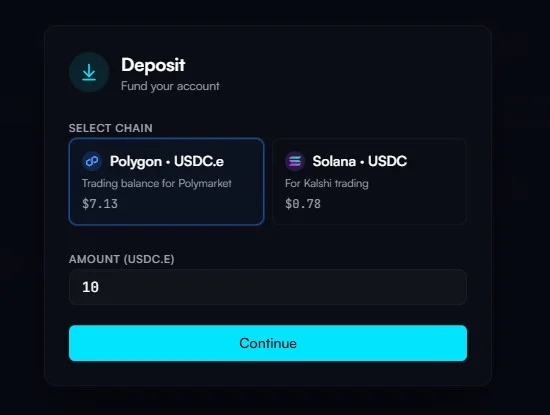
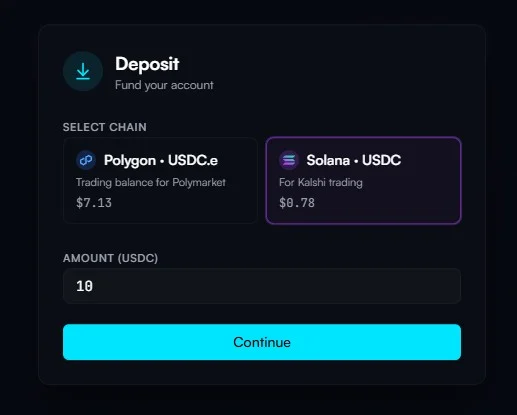
Click the Deposit button on the dashboard to open the deposit modal. Choose to deposit either USDC.e on Polygon or USDC on Solana depending on which markets you want to trade.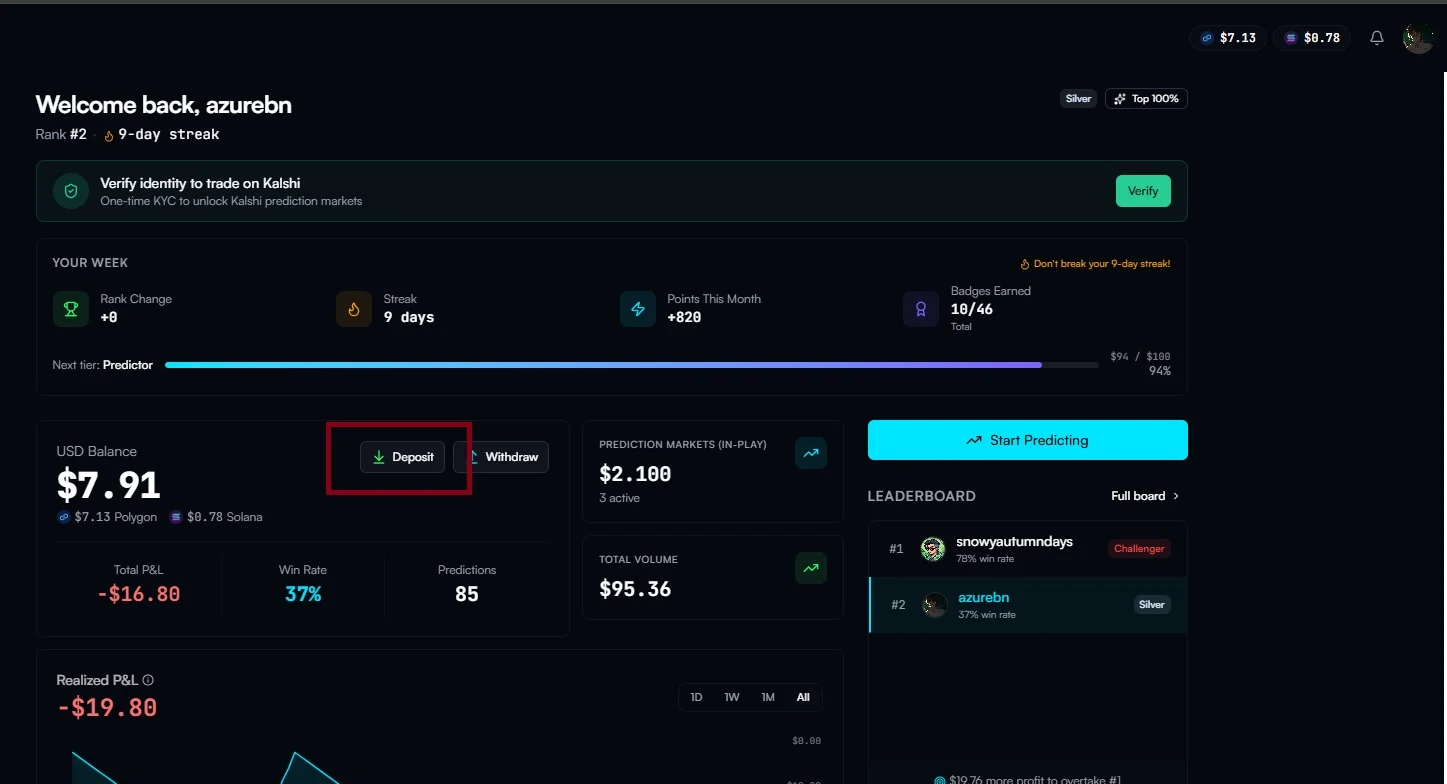
Depositing on Polygon
Polygon deposits go to your Trading Safe — the smart contract wallet that holds your trading funds and executes trades.Methods
- QR code — Scan with any wallet app to send USDC.e directly to your Safe.
- Direct transfer — Copy your Safe address and send USDC.e from any Polygon wallet.
- Coinbase Onramp — Buy USDC with a debit card or bank transfer directly within the deposit modal.
- Blink — Connect your browser extension wallet (MetaMask, Coinbase Wallet, etc.) and Blink automatically bridges your funds to the correct chain. For example, you can send USDC from Base and receive USDC.e on Polygon — no manual bridging required.
Important
- Send USDC.e (bridged USDC), not native USDC. Contract:
0x2791Bca1f2de4661ED88A30C99A7a9449Aa84174 - Send to your Safe address, not your embedded wallet address. Your Safe address is shown in the deposit modal.
- Deposits typically confirm in under 30 seconds on Polygon.
Depositing on Solana
Solana deposits go directly to your embedded Solana wallet address. Use the deposit modal to view your address or QR code.- Send USDC (native). Mint address:
EPjFWdd5AufqSSqeM2qN1xzybapC8G4wEGGkZwyTDt1v - Coinbase Onramp and Blink both support landing funds directly on Solana
Depositing with Blink
Blink is the easiest way to deposit if you already hold crypto in a browser extension wallet on any supported chain.Connect your wallet
Connect your browser extension wallet (MetaMask, Coinbase Wallet, or any
compatible wallet).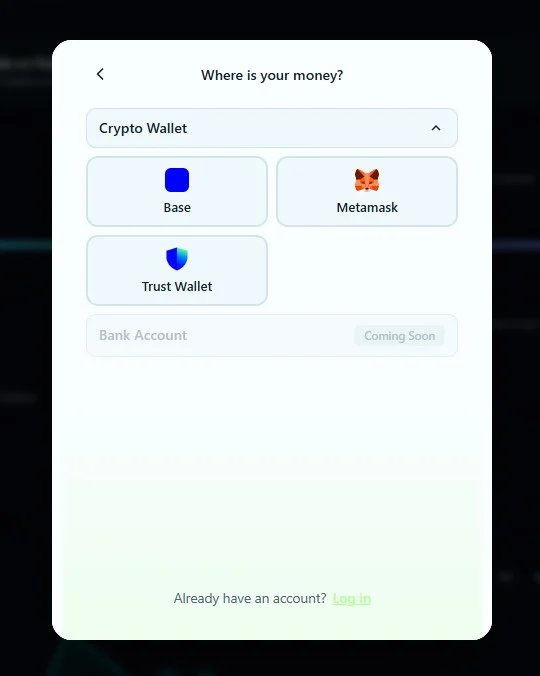
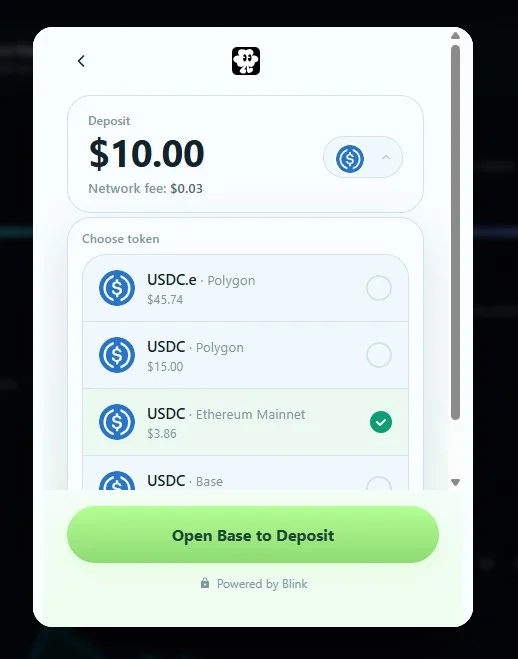
Blink supports bridging from multiple chains. You don’t need to manually
bridge or swap tokens before depositing.
Checking your balance
Your balance is shown in the top-right corner of the app. Click it to see your Safe address (Polygon), Solana wallet, and quick access to the deposit modal.Balance updates may take a few seconds after a deposit confirms on-chain.
Place your first trade
Your funds are ready — now buy or sell shares with zero fees and zero gas.